I was using testdisk sometimes to recover deleted partitions. In that case it is not possible, because the size of partition is too big for hard disk.
Perhaps you can help me, with some hints to get it recovered.
What was done to get in this situation:
Original hard disk partitioning and formatting:
Code: Select all
sfdisk /dev/sda < <(cat <<HERE
label: gpt
label-id: BC1EDCB7-064A-7A4A-A73C-8E7735B0C50D
device: /dev/sda
unit: sectors
first-lba: 2048
last-lba: 3907029134
sector-size: 512

/dev/sda1 : start=        2048, size=  3907026944, type=0FC63DAF-8483-4772-8E79-3D69D8477DE4, uuid=0C5BB9C3-A67F-0F40-801A-7C6D67D62AC7
HERE
)

mkfs.btrfs -L HOME_POOL /dev/sda1
mount -o rw,noatime,compress=zstd:3 /dev/sda1 /mnt

btrfs subvol create /mnt/home
mkdir /mnt/home/snapshots
umount /mnt
So I started an Archlinux bootable stick and wanted to recover my old partitions and filesystem:
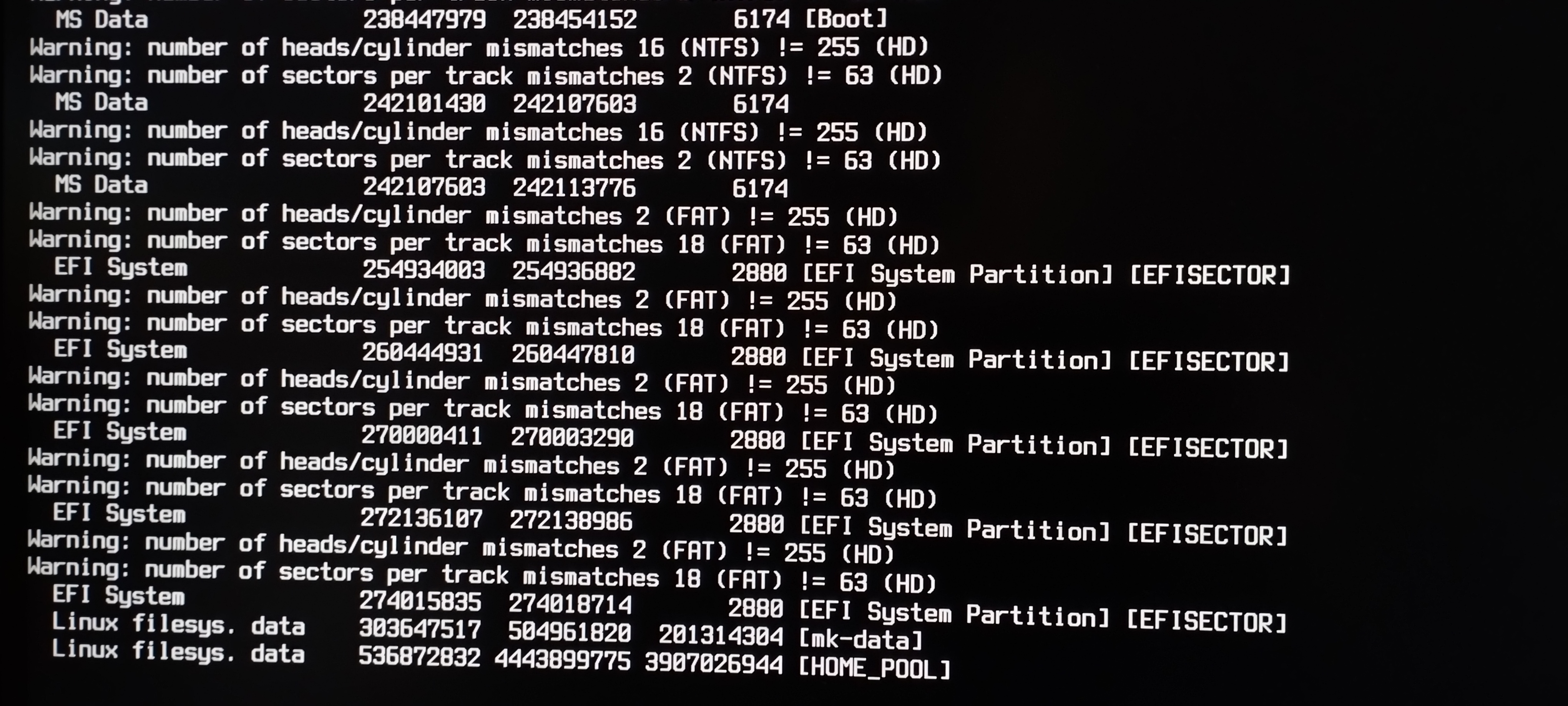
HOME_POOL was found. It is a btrfs filesystem with one subvolume home.
Stopping the search and try to recover it, prints this error:
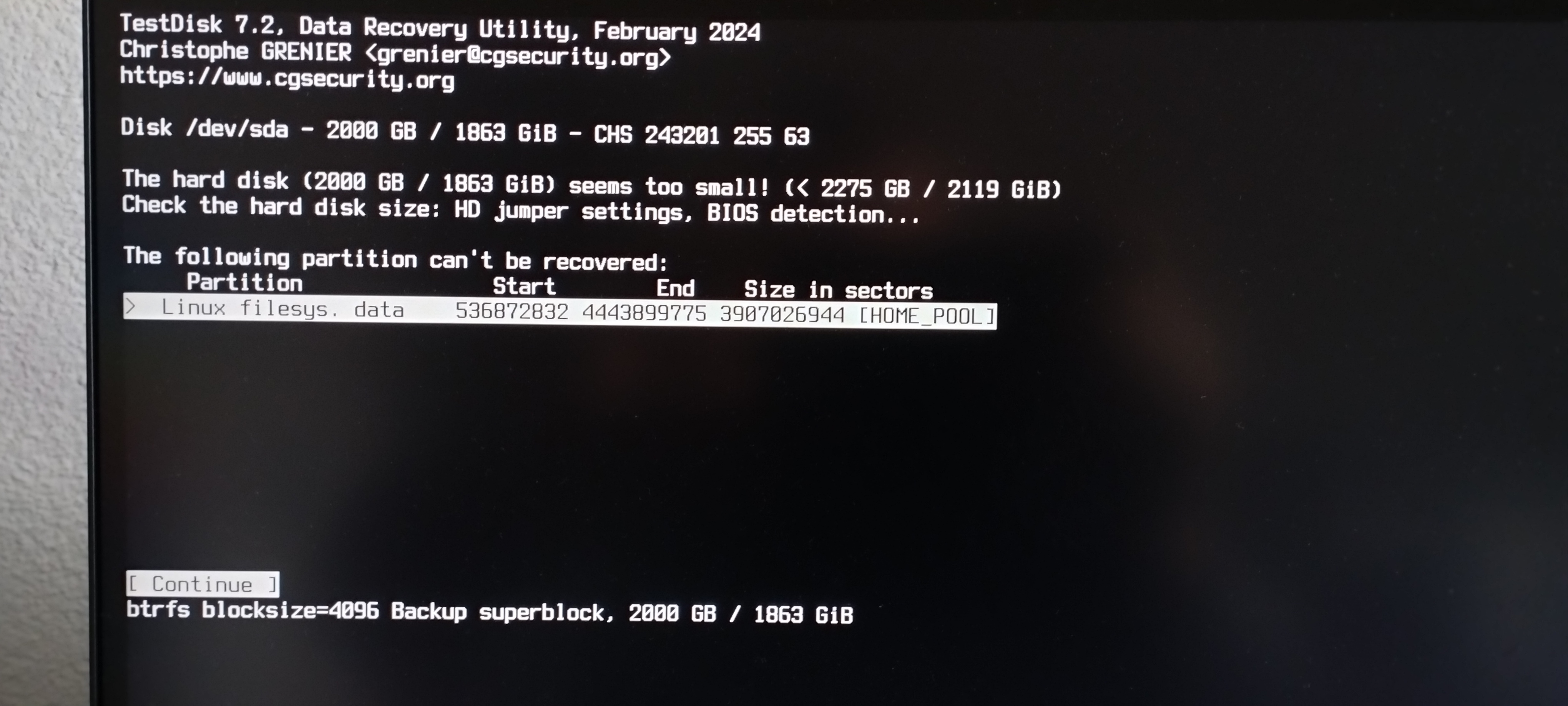
The size is correct. The only problem is start and end. I do not know, where this information is stored to correct it.
I just have corrected the partition table to be gpt again with the partition and size.
Tried btrfs check, btrfs device scan, btrfs restore und btrfs rescue super-recover to get access to my data.
No success.
Background information:
hard disk information
Code: Select all
Heads: 255
Sectors: 2
Cylinder: 7660841
Total Sectors: 3907029168
Sector size: 512https://familieruess.de/testdisk.log
Do you have any further tips to recover my partition with btrfs or get access to read the data?
Thank you very much for any further help and support.